We set up an English session in the stake conference. There is instruction below how to access the session.
How to join English Channel on ZOOM?
ID:96225133580
Password:580
URL:https://zoom.us/j/96225133580?pwd=UmlKcTNjdGVrMmFySVNTQ0hDYnJpUT09
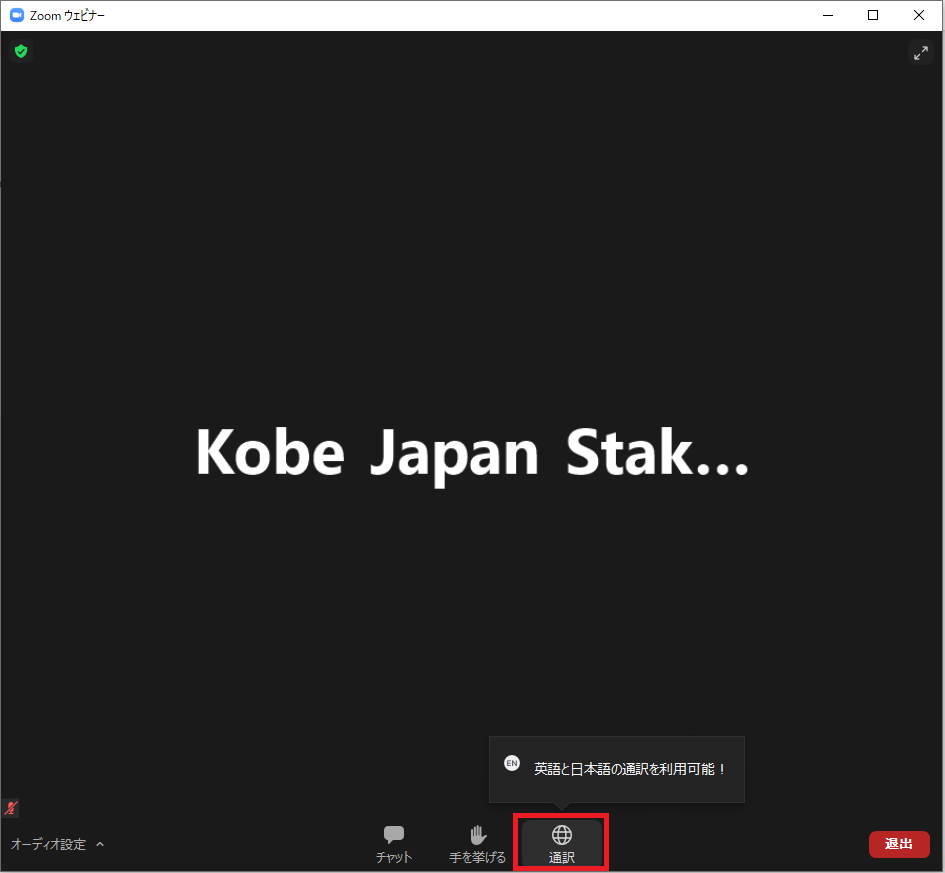
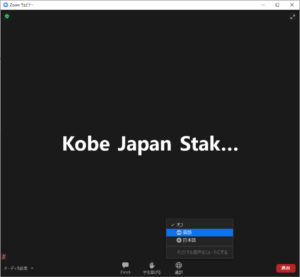
Now you can hear the voice of translator.
Caution
DO NOT click “unmute the original sound(オリジナル音声をミュートにする)” otherwise you will not be able to hear the sound when some videos are played during the conference.
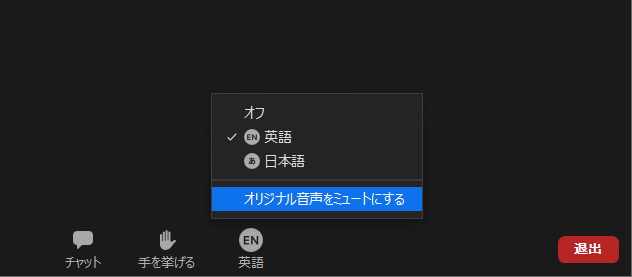
Those who use SP
ID:96225133580
Password:580
URL:https://zoom.us/j/96225133580?pwd=UmlKcTNjdGVrMmFySVNTQ0hDYnJpUT09
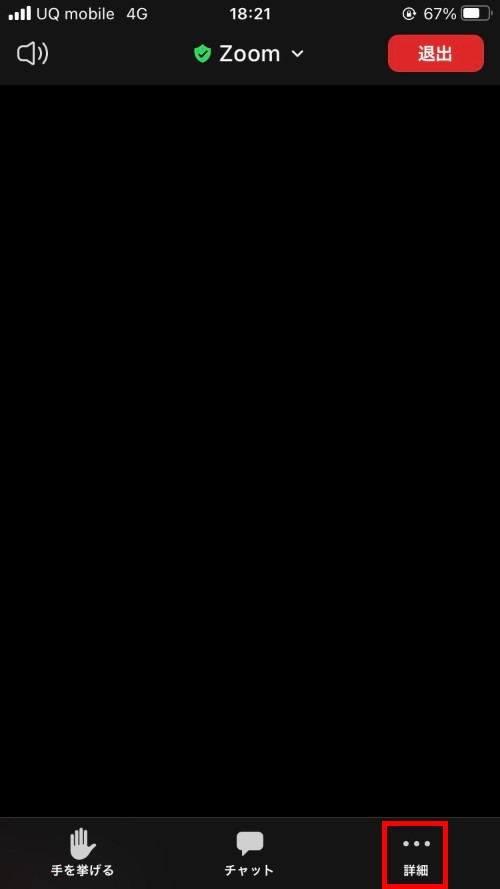
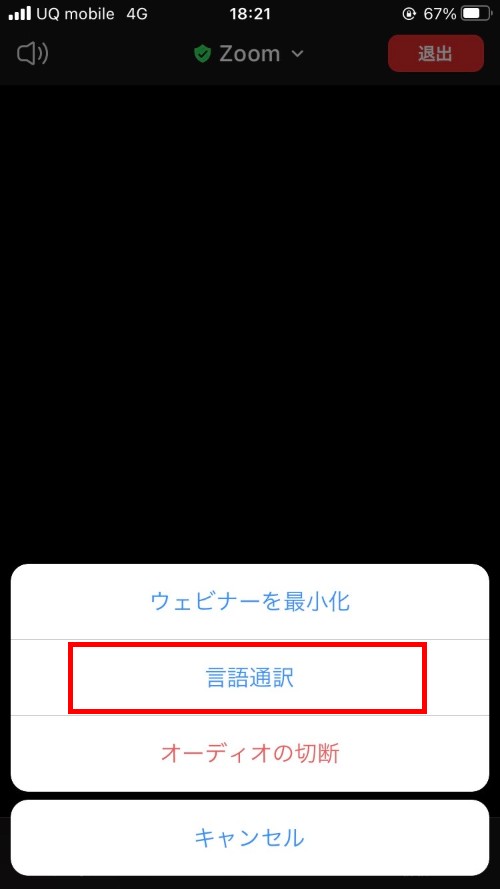
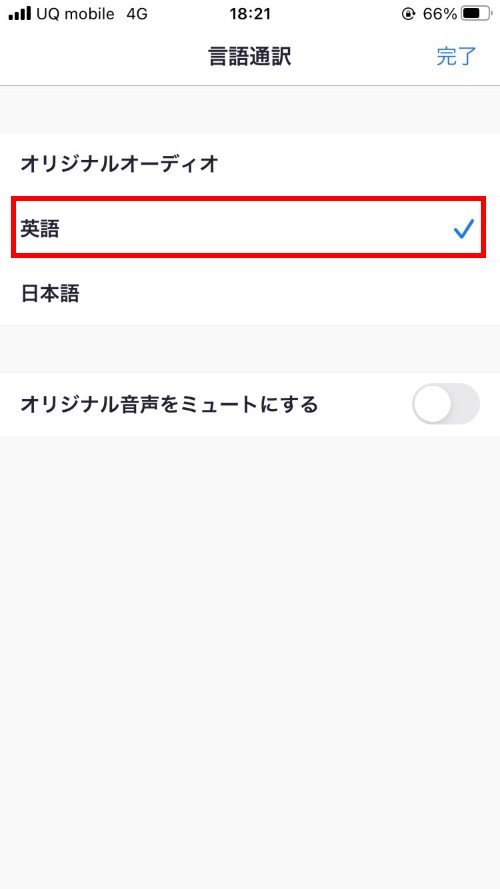
Now you can hear the voice of translator.
Caution
DO NOT tap “unmute the original sound(オリジナル音声をミュートにする)” otherwise you will not be able to hear the sound when some videos are played during the meeting.